Free
2 saves a day.
Free to download. Save two frames every day without paying anything.
There’s a better way. Stillz turns any video into a photo.

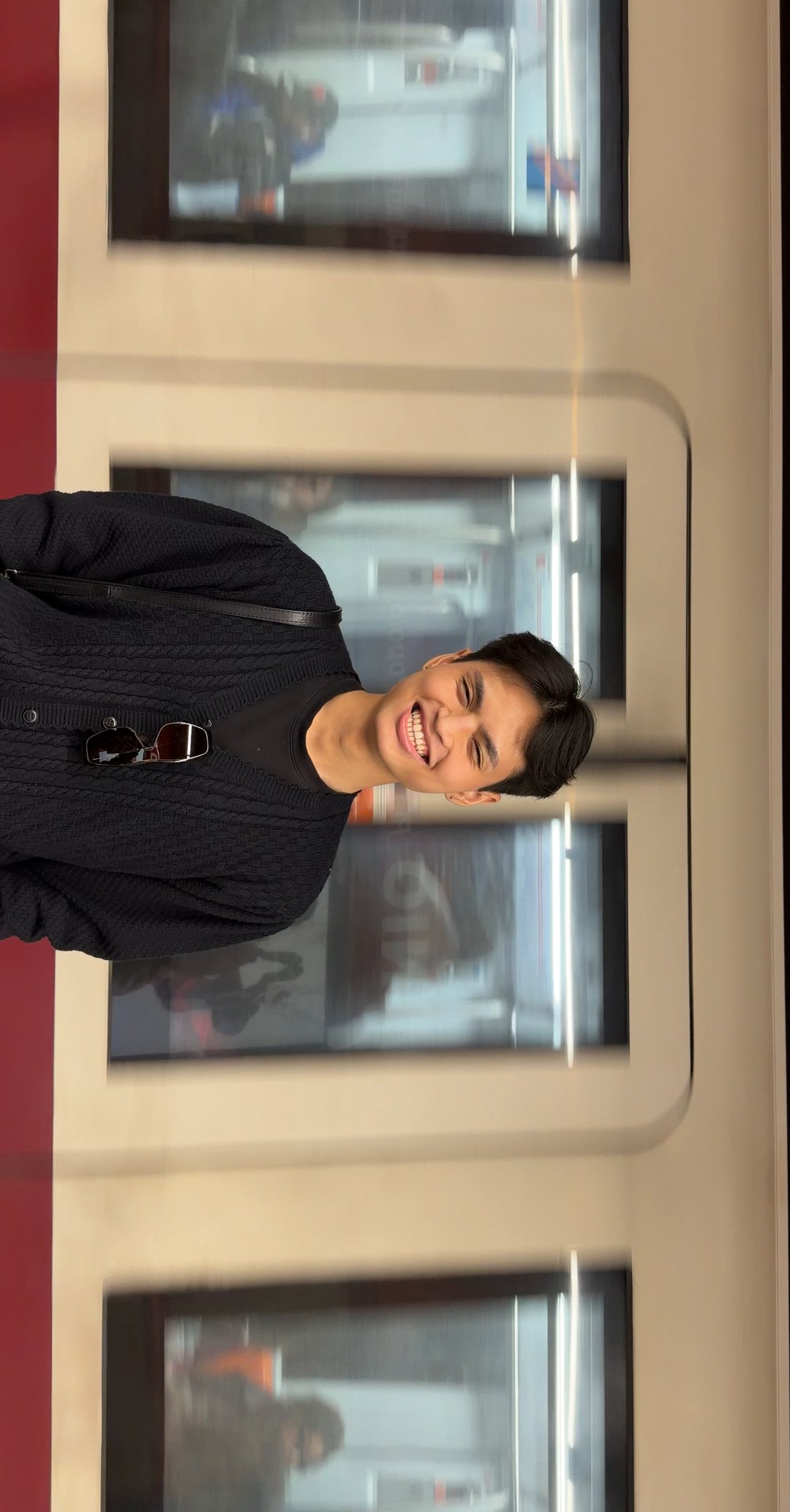
This is the real app. Your scroll is the swipe, one frame at a time.
Two real screen recordings of the same job. Watch the timers.
Every frame comes straight from the source video at its original resolution, not off your screen.
Save each frame in the format that suits where it is going next.
Keep the details from the original video if you want them. Leave them off if you do not.
Pinch to zoom and pan before you save. Send the frame to Photos or straight to the share sheet.
| Screenshot | Stillz | |
|---|---|---|
| Resolution | Whatever your screen shows | The full resolution of the source video |
| What is in the picture | The player controls, unless you crop | Only the frame |
| Details kept | None | Location, camera and date, if you want them |
| Steps | Pause, screenshot, crop, save. Repeat. | Swipe to the frame. Tap save. |
One download works on both. The same frame-by-frame controls, with more room to look closely on iPad.
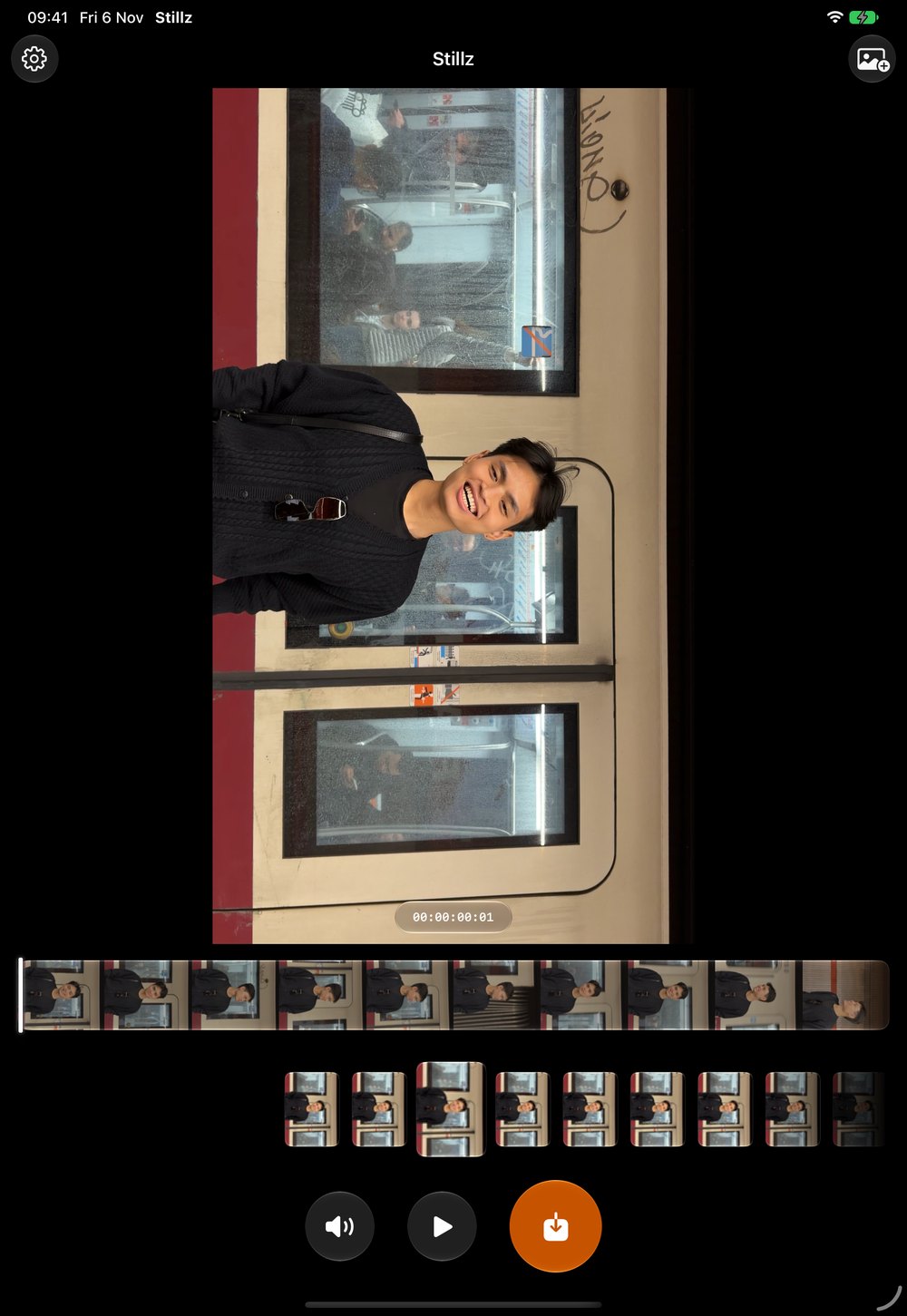
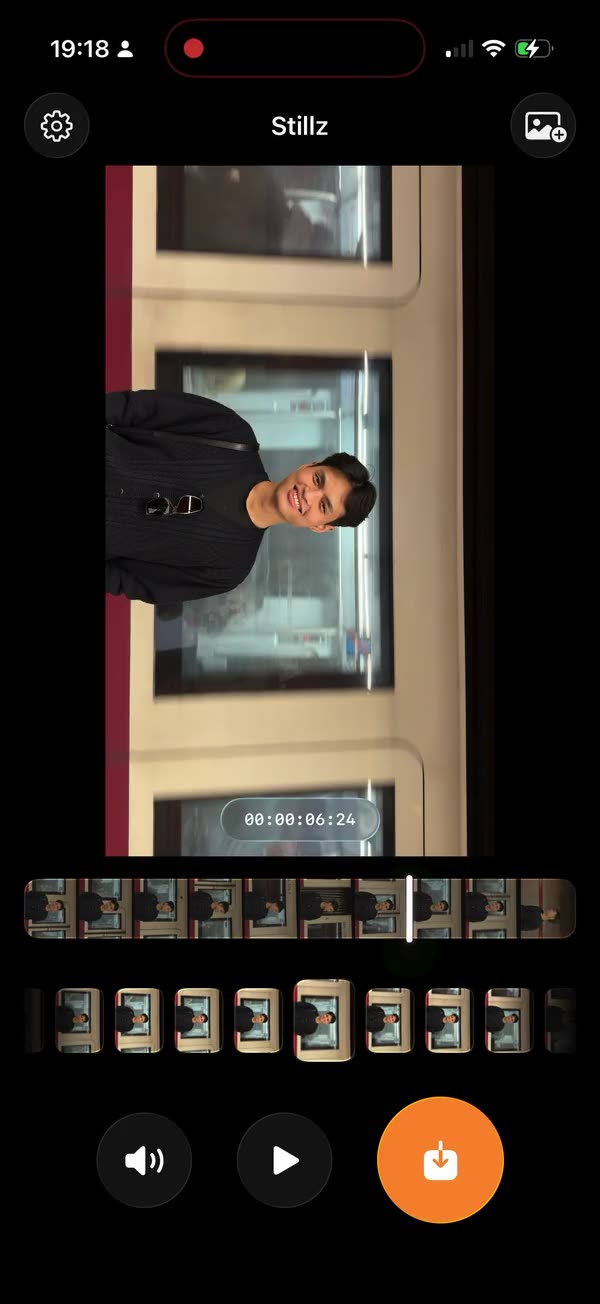
Straight from the App Store, in 14 countries.
I’ve been using this app to grab clean stills from my videos and the quality is amazing. It’s super simple to use, you just pick your video, find the frame you want, and save it. No blurry screenshots anymore. Highly recommended!
aeykae, App Store MXPreviously I had to scroll through all a video, remember I hadn’t paused then go back and find the screenshot only to not be able to lift my finger exactly right for it to stay there and then crop it?? No more!! Thank you for this!
Bethanyyyy148, App Store GBWorks amazingly well, and will be so handy to replace taking 100s of photos to get the perfect shot🫶
G33003, App Store GBThis is a game changer for me, I always look better in videos than photos but trying to scroll through the paused footage and screenshot it on Apple is a nightmare, and it always comes out blurry. Tried it on several videos now, especially ones of pets and it’s perfection. Super easy to use and crisp results every time.
KittyKatt_Ray, App Store GBFantastic app! No more low quality screenshots from videos. Amazing app
Toenailcros, App Store GBsuper user friendly + the quality of pics you’re able to get is insane !
g33ol1v14, App Store GBHonestly so happy I found this app! 🤗 It makes finding the perfect photo from videos sooo much easier without having to pause every second and take a million screenshots. Super easy to use and actually really helpful
Jennifer Chemnitz, App Store DEThis app is amazing. Just what I needed and the quality of the photos are incredible.
@absssssss, App Store GBAs a girly who videos myself all the time to get a good picture from it, where has this app been!!!! The quality trumps any video screenshot I’ve ever taken from the normal photos app. Will use this forever more!!!!!!
Rezinha.C, App Store GBSo when I’ve seen this app online, I thought surely it’s not really needed, is it? But then I tried it! The quality is insane. The frame for frame is like I’m talking milliseconds this is actually amazing !! I’m speechless..
blahblahbbyblue, App Store GBI downloaded this to support the creator, but upon actually using it i am very impressed! The app is very easy to navigate and understand, and is super handy. It looks as though it should be an apple integrated app. Highly recommend to those who take a lot of videos and want to get the best pic. You can save a Live Photo to a video, then use the app then select the best frame. Really cool app, well done!!
lieslieslies or maybe truth, App Store GBBest app to grab your photos from your videos. i also saw this on the app creators tiktok and wanted to support!!! 🧡🧡🧡
tiffieee.x, App Store GBI downloaded this app to support Son and actually found this app useful. The UI/UX are well designed and really intuitive. Will definitely use this app daily. Well done Son!
Leopard.Snow🇬🇧, App Store GBI love this app! Works great on older iphones like the 11 too 🩵
Hary Knawten, App Store VNAs someone who is obsessed with video screenshots, I really appreciate this app😭❤️
Olwethu✨, App Store ZANo more desperately searching for good frames in videos for me I love it🙂↕️
Iclalcik, App Store NLIt’s a very easy to use and navigate application that can effortlessly take still photos from your videos. As someone who creates short form content, this app has been incredibly useful!
kibby__, App Store CAHonestly one of the best apps to have, it saves so much time having to pause videos and screenshot. It breaks down videos by frame making sure you select the perfect still image!!!
Lolalola keekidee, App Store GBI’ve been looking for an app like this for so long. The frame-by-frame feature is incredibly useful and makes capturing the perfect moment from a video so much easier than trying to pause and take manual screenshots. The app is smooth, accurate, and saves so much time. Super simple to use and works exactly as expected. Definitely one of the most practical apps I’ve downloaded recently!
Harrietmathew, App Store AUAs someone who enjoys taking videos instead of photos and having to screenshot this app is perfect. I can swipe through everything frame and just save without any stress or additional steps!
Eyitayo.create, App Store GBDownloaded this so fast! It’s easy to use - there’s not a lot of “extra” features, but it doesnt need it as it performs exactly as it says, and isn’t confusing. I genuinely think I could get my septuagenarian mother to get decent quality results on this app within 10 mins (and some of that ✨might✨ be explaining the cloud photo access permissions [again]!) I can see this saving a lot of time and frustration when trying to find that “perfect moment” shot.
Irate-In-China, App Store GBIntuitive and effective, the app is so easy to use, the images are high quality and saves directly to your photos without having to confirm each time. I’ve been trying for the longest time to get a still image of my son from a video and this has made the process significantly easier. A must have!
Madamemeaux, App Store GBWorks very smoothly and quickly. I love the idea behind this as I often take videos of dogs for my business and taking screenshots to get stills is a really frustrating process! This is going to be really helpful for me, thanks!
cerismi, App Store GBFinally i can get just the photo i want from a video! And i love the quality on the photo!! Now i do not need to stress to take photos and videos. Now i can just take a video and use your app to get so MANY good photos!
Felicia Josefine, App Store NOGreat app, very easy to use, high quality of the screenshots and a very easy selection. Very user friendly designs, no explanation endet on how to use the app, love it
james—bee—charls_911, App Store DEI’m always taking videos of my phone and screenshotting the frames I want and it can be such a hassle and the quality isn’t always that good. The app is incredibly easy to navigate and each frame that you want to save, saves directly to your camera roll and the quality is so good! I’m so grateful for this apppp. Thank you Mason!
Jessiemoo432, App Store GBI installed this app after seeing it posted on TikTok and I wanted to support the developer. After using the app, I’ve realised how useful this really is. It’s so easy to use and hasn’t been over-engineered either. Love this and will be using this so much I’m sure 🫶
Sammy ❤️, App Store GBAmazing. I always use different apps & try make the photo have quality from the video but this just saved time, effort & it’s perfect quality. Thank you
daisyde05, App Store GBSince I’m very videogenic i don’t really get good pictures but with this masterpiece of an app it allows me to go frame by frame and download the picture I look the best in. 10/10 do recommend for people who do nails or make food.
Ayoitsomiii, App Store NLI started with making videos of literally anything and then making screenshots of things I thought were pretty. Then I saw a TikTok, saying he made this app. I was immediately hyped and needed the app. Absolutely no regrets. BEST. APP. EVER. 🫶🙌
YaraJ 🫶, App Store NLActually one of the best apps going, seen it on tiktok and thought why not give it a go, I have never been more impressed in a app before, so grateful I seen it on tiktok ❤️
dinasror, App Store GBThis app works exactly as described and I can download each frame of a video as a photo and it works so much better than what I used to do which was pausing and screenshotting. Love this app!
Susanxl_, App Store AUI never knew how much I needed this app before downloading it, saw the creator in TikTok and decided to give it a shot, it let me tell you it was worth it !!! I’m much more of a video person than a photo person, so I always end up with close to no pictures in my best moments, now I can have some good pictures of my videos (if that make sense). Thank you so much for sharing your work with us, I hope this app reaches the level of fame it clearly deserves!
Khys 🎀, App Store FRThe app we've all been wanting for! Super intuitive and easy to use. Quick & perfect! So glad to be a founding member. 🤩
maticardoso 🎇, App Store PTI'm a cheerleader, so I have a ton of stunting videos and this app makes it incredibly easy to get high quality pics fron the best moments of the stunt. No more desperatly trying to pause the video at the right moment or screenshoting the galery, I can't thank this app enough🥹💕
just.another.sophia, App Store DEI downloaded this after I saw a video on TikTok and as a wedding content creator I cannot tell you how EASY this is for pulling shots out of a video, life saver 🙌🏼🙌🏼
Joddds16, App Store GB2 saves a day.
Free to download. Save two frames every day without paying anything.
Unlimited saves.
Pay monthly, yearly or once. You will see the price for your country in the App Store before you buy.
Hi, I’m Mason. We film videos to get one good photo, then pause, screenshot, crop and end up with something blurry. I made an app to fix just that.
I built Stillz at the Apple Developer Academy in Naples. Thank you to everyone who tried it, and to everyone who wrote a review.
All video processing happens on the device, so your videos stay with you.
Open the app and start. There is nothing to sign up for.
Stillz Pro is bought through the App Store, and purchases are handled by RevenueCat.
Free on iPhone and iPad. Requires iOS 26 or later.